When this helps
You clear Title and Author before sharing a PDF, then wonder whether anything identifying remains. Document properties are only one place to look. Comments, attachments and photographs inside the PDF can carry their own information.
Try it in the checker
Open this section in the checker →
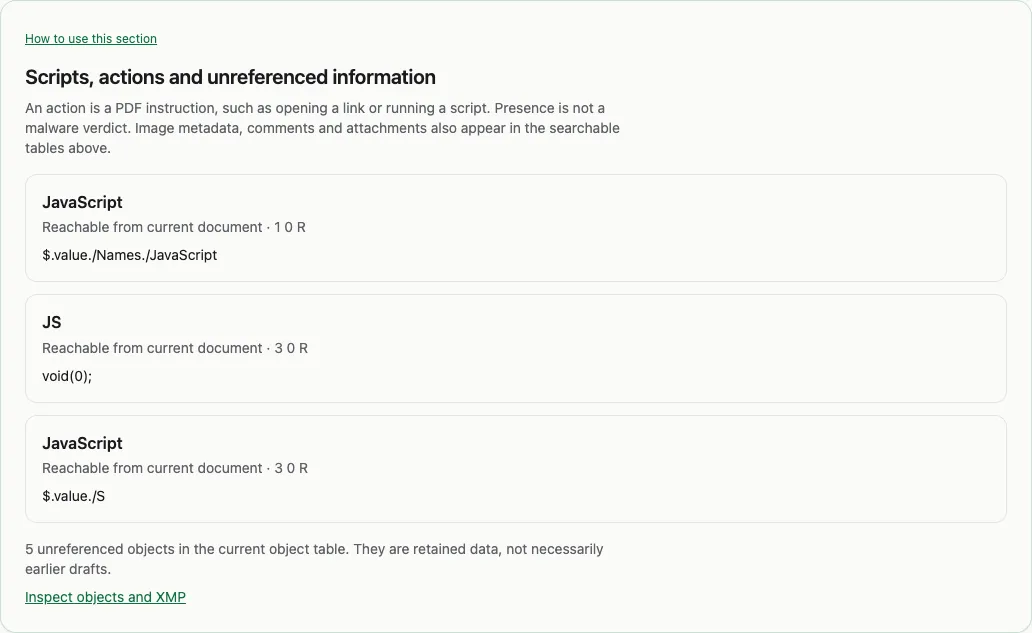
Start with Hidden information in Summary, or open Details → Hidden data. Check names in comments, metadata inside photos, attached files and scripts. Search within the section for a specific name or value. Each table identifies where the information came from.
For the underlying records, choose Details → Advanced → PDF objects. An unreferenced object is data the current document does not point to. It does not by itself prove that something was deleted or concealed. What’s hidden inside a PDF? explains how these types of information differ.
Read the result in context
A synthetic example: the document Author is empty, but a comment still names “Sample Reviewer”. That is an annotation field, not evidence that Sample Reviewer created the document. Another example is a placed photograph with camera metadata. Removing document properties does not by itself remove the photograph’s metadata.
Use Remove PDF Metadata when you decide to clean a copy. Inspect the output and its verification results before sharing. Keep the original separately if you need to preserve its history.
What this cannot establish
This is a metadata and structure inspection, not content redaction. A name printed on a page, a screenshot of an address or readable text in an attachment remains identifying even if every metadata field is empty. No findings means none were found within completed checks; skipped or unsupported content still needs review.