When this helps
You want to know whether an earlier draft is still inside a PDF. Some editors append a new file state when saving; others rewrite the PDF. Only retained states can be inspected. A file with one visible saved version may have been edited many times before it reached you.
Try it in the checker
Open this section in the checker →
Choose your PDF and wait for the file checks. Click Saved versions in Summary, or open Details → Saved versions. Read any incomplete-history notice before using the count.
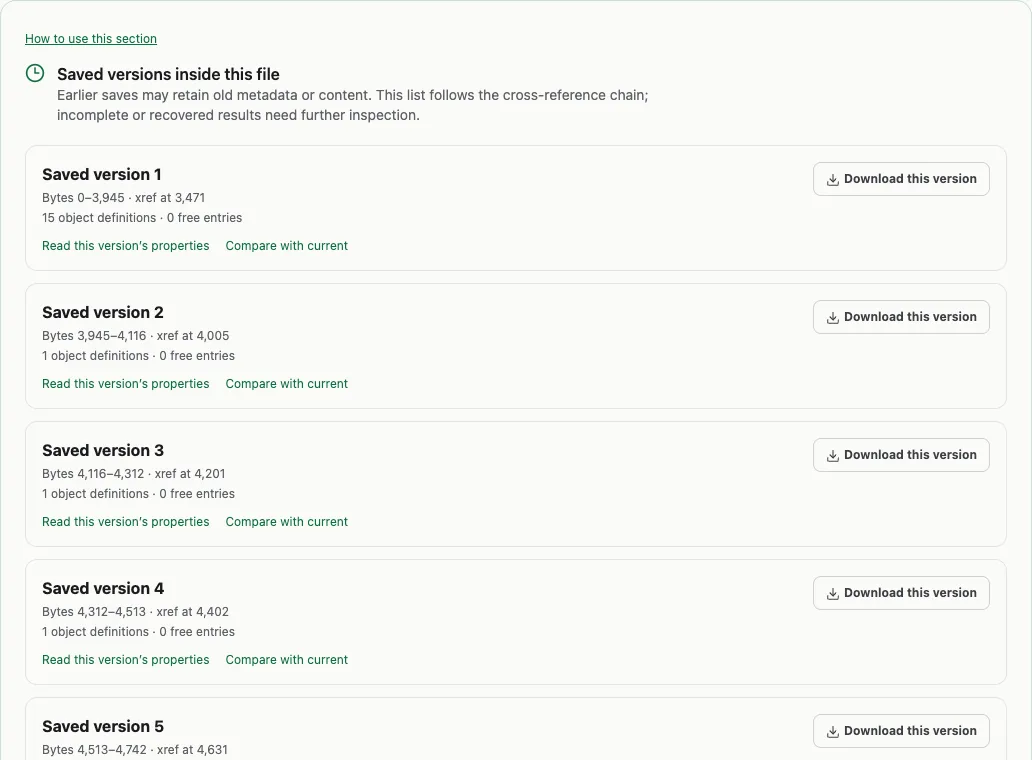
Select a version button. Read version properties shows its recorded fields; Download this version saves a separate earlier copy. Compare with current opens a comparison against the PDF you started with. Technical details contains the byte positions for analysts who need them. Your source PDF is unchanged.
Read the result in context
The public sample PDF contains six retained states. It deliberately changes document properties over several saves, then adds an unreferenced XMP packet. Comparing a downloaded earlier version with the current file demonstrates why old fields must not be presented as current metadata.
The count describes file states, not a list of human actions. One save can change many pages, and an ordinary signing operation can also append a state. A retained version does not automatically mean something suspicious happened.
What this cannot establish
The history reader follows cross-reference links rather than treating every end-of-file string as a save. Damaged links, recovery and parsing limits can leave an incomplete history. It does not recover edits that were overwritten or never included. Historical objects inside compressed streams may need a second parser. A saved version can reveal old content, but it is not a guaranteed recovery method for redacted text.